 CueBuddy - Voice Teleprompter
 Scan with your phone to download
Prompt Recording
See how CueBuddy prompt recording lets you read while filming, including full-screen mode, window mode, framing, and the recording workflow.
Teleprompter Recording
Full-Screen Display
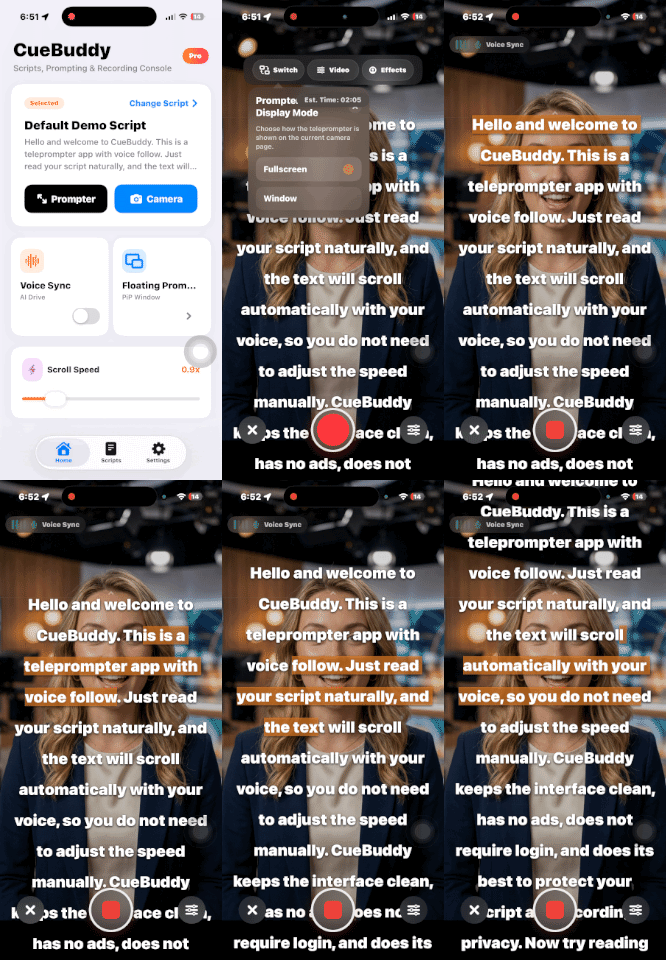
- This works the same way as Full-Screen Teleprompter, except that you can record with the front-facing camera at the same time.
Window Display
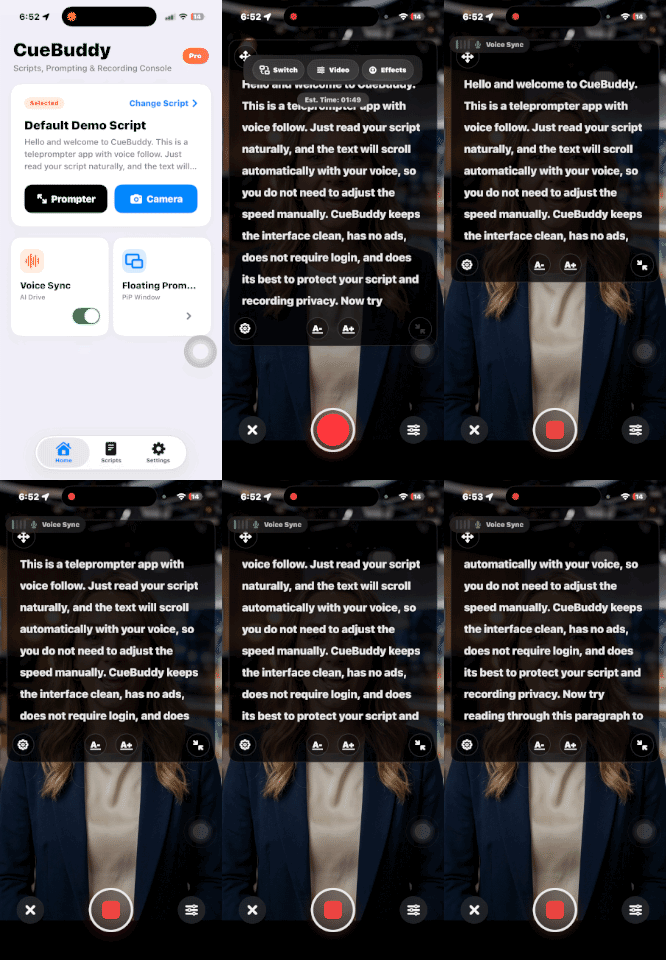
- The script appears inside a floating window. Press and hold the bottom-right corner to resize it, or press and hold the top-left corner to drag and reposition it.
- When Voice Follow is enabled in window mode, the script still scrolls while keeping the text positioned within your optimal line of sight.
Video
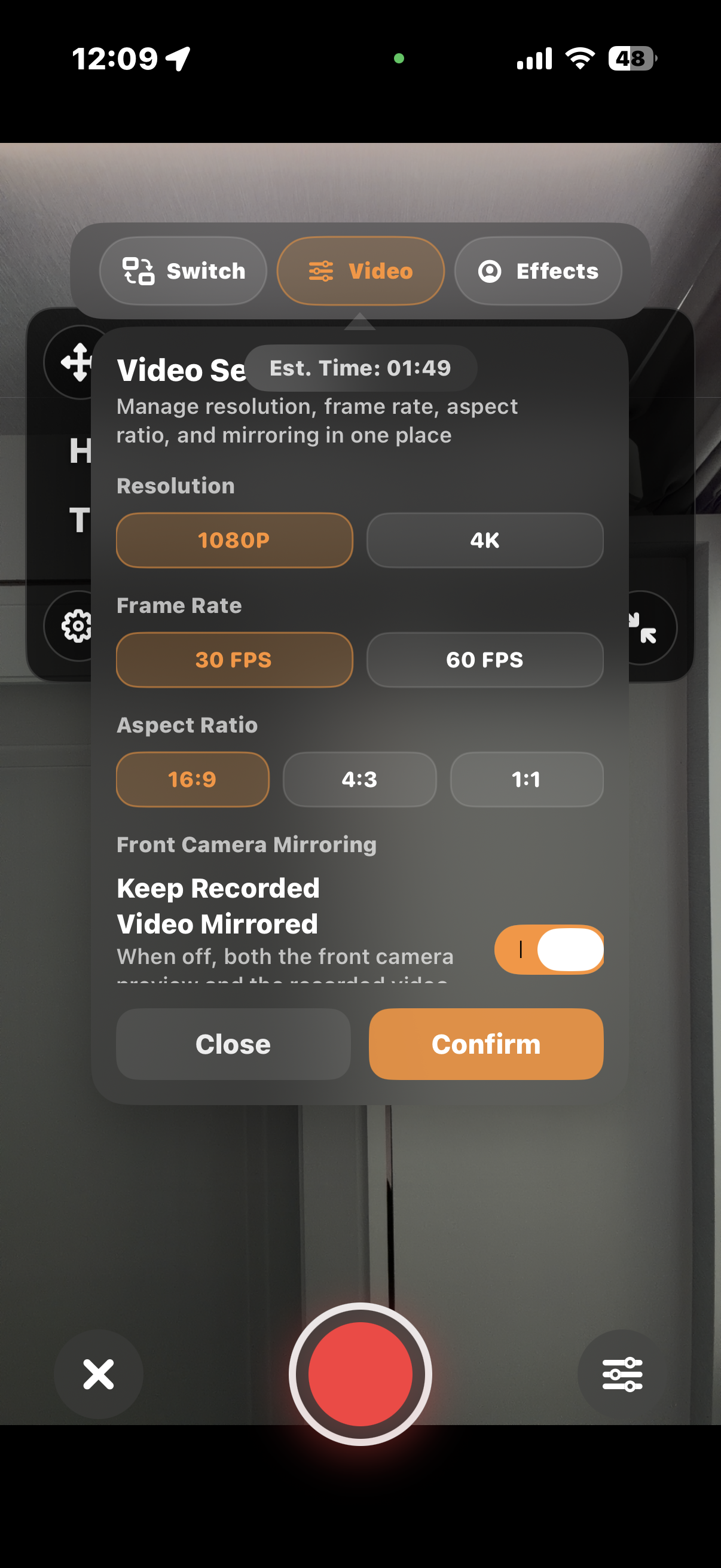
- Supports 1080P 30FPS, 1080P 60FPS, 4K 30FPS, and 4K 60FPS recording. Detailed support may vary by device. Please refer to the options shown on your current device.
- When video effects, Portrait Mode, or Beautify are enabled, recording will be limited to 1080P 30FPS.
- Voice Follow can be used together with video recording mode.
- Supported video aspect ratios include 16:9, 4:3, and 1:1.
- All recorded videos are in SDR format.
Effects
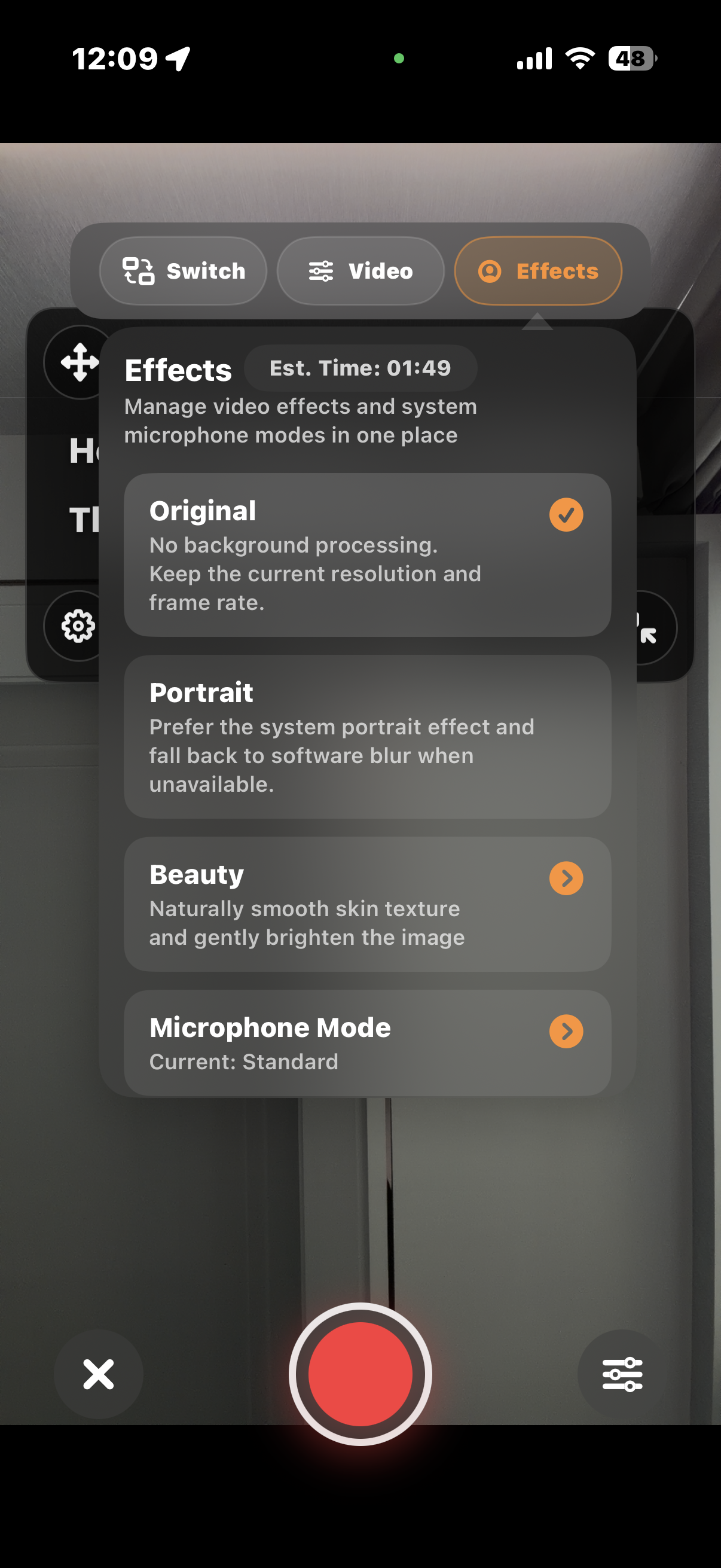
- The default mode is Original.
- Portrait Mode uses system-level capabilities. After tapping it, a settings pop-up appears, where you can also adjust the background blur intensity.
- Beautify mode applies a certain level of skin smoothing and brightening to the video image. Our goal is a more natural beautification effect, so the intensity is intentionally not exaggerated.
- In Microphone Mode, you can select Voice Isolation so your voice can still be recorded clearly in noisy environments.