 CueBuddy
 Scan with your phone to download
The teleprompter's range of applications is far broader than most people imagine. Here are 12 real-world scenarios spanning content creation, education, business, and daily life.
Scenario 1: Short-Form Talking-Head Videos
The most common use case. Whether posting on TikTok, YouTube Shorts, Instagram Reels, or any platform — if you're talking to a camera, a teleprompter helps.
Typical flow: write your script, import it into the teleprompter, set up your phone, turn on voice tracking or timed scrolling, and record. One to three takes, done. No memorization.
For daily posters, this scenario is non-negotiable.
Scenario 2: Livestream Selling
Livestream selling looks spontaneous, but most hosts have a product list and key talking points prepared in advance — when to introduce each product, how to pitch the discount, all planned.
Many hosts place a teleprompter next to their phone or below the lens, displaying product specs, price comparisons, and inventory status. With hours-long streams and a firehose of information, memory alone can't keep up.
CueBuddy's Picture-in-Picture floating prompter mode is especially useful here — the script hovers as a small window on top of the screen. You see both the live feed and notes without a second device.
Scenario 3: Online Course Recording
Whether recording pre-made courses or teaching live, instructors need to cover set material. The teleprompter's value here isn't "reading the lecture" — it's ensuring the knowledge framework stays intact: every definition covered, every example given, every key point emphasized.
Many online teachers don't use a teleprompter to read full lecture notes. They put the outline on screen — a structure with keywords. Seeing a keyword, they expand in their own words.
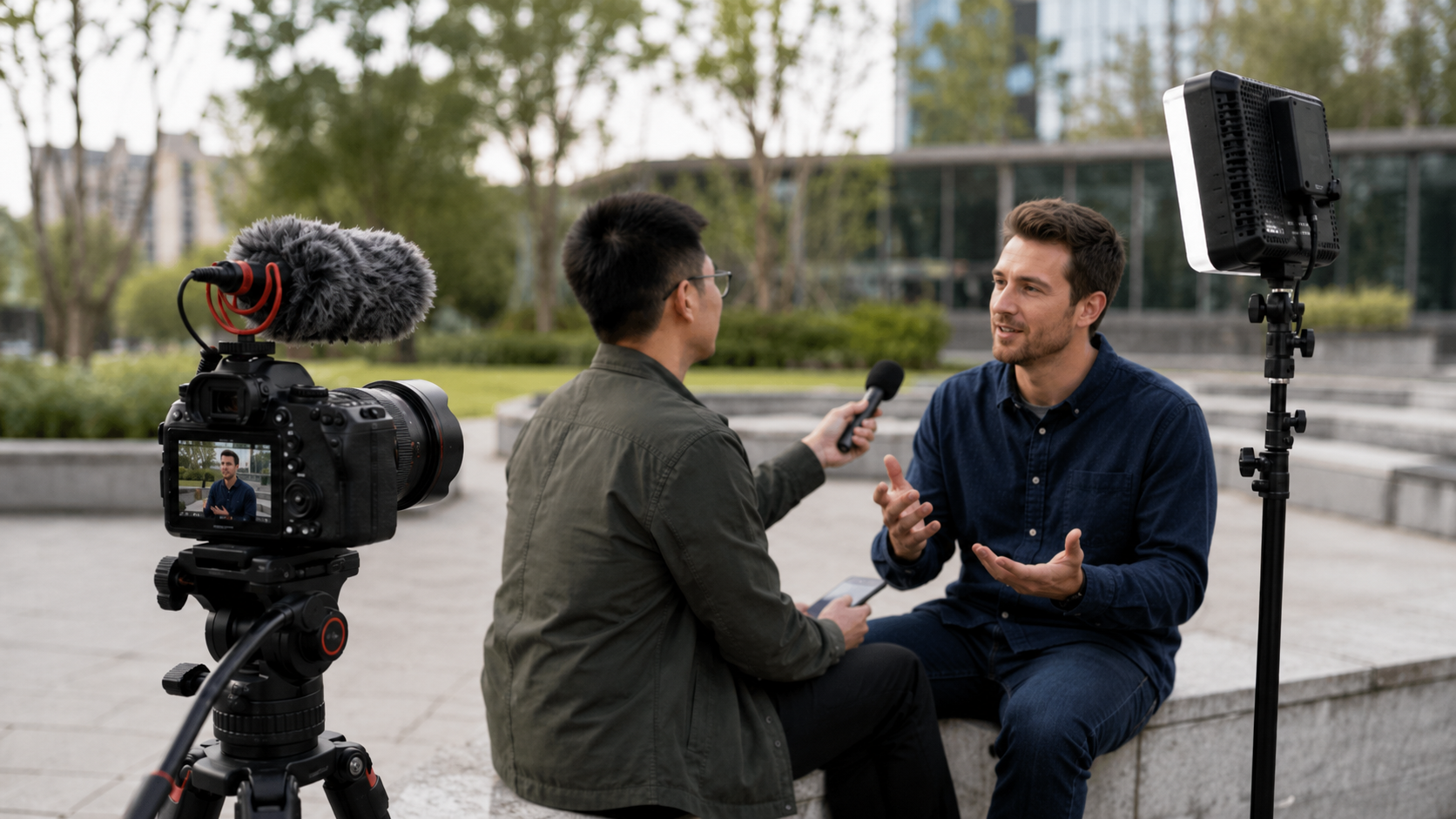
Scenario 4: Online and In-Person Interviews
Interviews are high-pressure. You've prepared extensively, but nerves can blank your mind. Keeping key points on your phone screen — not full answers, just keyword cues — helps find your rhythm when anxiety spikes.
For video interviews on a computer, position the teleprompter window right below the webcam. The interviewer sees you maintaining eye contact with the camera. In reality, you're glancing at talking points. This technique is widely used in job-seeking circles.
Scenario 5: Product Launches and Demo Presentations
Product launches demand precision — product names, version numbers, key metrics, pricing. None can be wrong. Launches also run on tight schedules, with each segment timed carefully.
A teleprompter here isn't for "reading" — it's for "nothing missed, nothing wrong," especially with technical specs. One misstated number and credibility suffers.
Scenario 6: Wedding Speeches and Event Hosting
The classic awkward wedding moment: the best man pulls out a phone, reads a speech with head down the entire time, like reciting a textbook.
With a teleprompter: phone placed discreetly, script scrolling gently. You look at the couple with a smile. Words come out warm and natural. Guests think "they're so well-spoken" — nobody knows you had help.
Event hosting follows the same logic. Run sheets, guest names, transition lines — too much for memory, far more elegant than cue cards.
Scenario 7: Video Meetings and Remote Presentations
You need to deliver a five-minute update in a video meeting. Content is prepared, but you don't want to "read" — colleagues can tell.
Put a concise outline near your webcam. Use keywords, not full sentences. Looking at the camera, your peripheral vision catches the next point, and you expand in your own words. What colleagues see: someone delivering a structured, off-the-cuff update.
Scenario 8: Podcast and Audio Recording
Podcasts lack video, which makes content quality even more critical — without visual distraction, listeners are acutely sensitive to verbal flow and logical coherence.
Many podcasters keep an outline on screen while recording, ensuring every topic is covered, transitions feel natural, and tangents stay controlled. For solo podcasters, a teleprompter is practically essential — no co-host to catch you when you stumble.
Scenario 9: Actor Line Rehearsal
Actors spend hours rehearsing lines. The traditional approach: reading from a paper script repeatedly or finding someone to run lines with.
A teleprompter simulates the actual filming environment — script scrolling below the lens, actor delivering lines to camera. Getting comfortable with the "glance and perform" rhythm ahead of time means no awkward adjustment period on set.
Scenario 10: Speech Practice
Many people fear public speaking, and the core fear is "what if I forget my lines?" Use a teleprompter during practice. Run through the full speech a few times, building muscle memory and content familiarity.
Recommended routine: first pass following the teleprompter fully, second pass mostly from memory with occasional glances, third pass entirely without. Three passes and the script is in your bones.
Scenario 11: Foreign Language Speaking Practice
Find content in the language you're learning — a speech, a news segment, a movie monologue. Paste it into a teleprompter. Set the speed to something slightly challenging, and speak along.
This is more effective than simple reading aloud because it forces you to keep up with a fixed rhythm — similar to shadowing exercises in language training. With voice tracking, it becomes an instant feedback loop: if you get stuck on a word, the prompter stops — flagging exactly where you might be mispronouncing.
Scenario 12: Communication Support
For individuals with speech or cognitive challenges, having pre-prepared phrases available on a teleprompter can dramatically reduce communication anxiety and friction. In contexts requiring precise expression — medical consultations, legal discussions — this application is particularly valuable.
Twelve scenarios, one pattern: a teleprompter's value isn't in "reading." It's in "supporting."
It doesn't help you cheat. It helps you not miss anything important. It doesn't make you fake. It gives you something to lean on when nerves hit.
Try the free online teleprompter first
If you are solving script, pacing, line-memory, or filming workflow issues, open the browser teleprompter first and test the script there. Use the CueBuddy app when you need a stronger mobile recording workflow.
Start your next recording with CueBuddy
Try the free teleprompter workflow first, then open CueBuddy if you need stronger recording and camera workflows.